Sheetz Connected C-Store Leadership (and the Hidden Work That Makes It Possible)
Sheetz's connected c-store uses apps, kiosks, and POS systems to personalize customer experiences. But when tech fails, employees absorb the pressure.

Next time you’re on the road and in need of a morning bite to eat, make a plan to grab breakfast at one of Sheetz’s 800 convenience stores (c-stores). You’ll find you have plenty of ways to place an order:
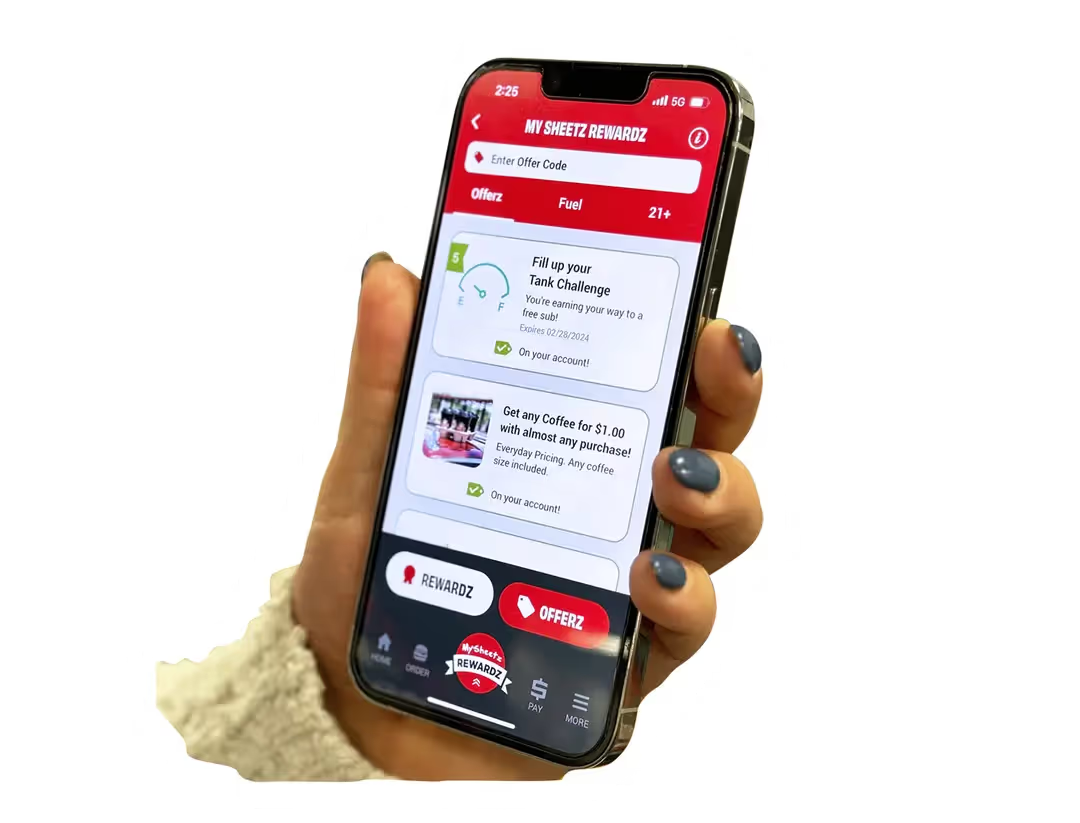
- Use the app to earn rewards or get customized suggestions,
- Tap a self-service kiosk to get in and out quickly, or
- Order the old-fashioned way at the counter.
Sheetz uses tech to make ordering convenient. Customers choose whichever channel suits their needs, and no matter the channel, Sheetz is able to personalize the experience using technology. That’s how Sheetz earned a place on Fortune’s Most Innovative Companies list (a list usually reserved for major tech players).
Turns out that convenience is complicated. Behind Sheetz loyalty program and personalization work is an interconnected system of hardware and software: Sheetz’s mobile app and loyalty program are integrated with in-store systems: [[POS]], [[self-service kiosks]], scan-and-go systems, and self-checkout to name but a few. Integration across these devices is how Sheetz makes it easy for customers to order and pay however they want.
This “[[connected c-store]]” experience at Sheetz requires sophisticated behind-the-scenes planning, maintenance, and automation. An out-of-date configuration or failed integration can escalate to an operational burden. And because connected c-stores often pair automated workflows with lean staffing to control margins, even small disruptions result in stress and missteps for c-store employees.
What are the fundamentals that make the connected c-store work?

Sheetz’s Connected C-Store Experience
From apps and kiosks to POS systems and self-checkouts, each component of Sheetz’s connected c-store is designed to make customers feel recognized and in control. Here are several components that make the system work:
1. Mobile app and rewards
The Sheetz smartphone app on iOS and Android serves as the customer’s digital hub. It tracks rewards points, offers, and supports mobile ordering, delivery, and curbside pickup.
The Sheetz POS system pulls personalized information when a logged-in customer scans their app or enters a phone number. Using that identity, Sheetz recognizes returning customers and applies benefits across channels. For example, the system automatically applies fuel rewards earned on a previous visit and surfaces repeat-purchase discounts tied to items a customer frequently buys. That integration allows the system to keep offers, pricing, and rewards consistent whether a customer orders through the app, a kiosk, or at the counter.
2. Self-service kiosks
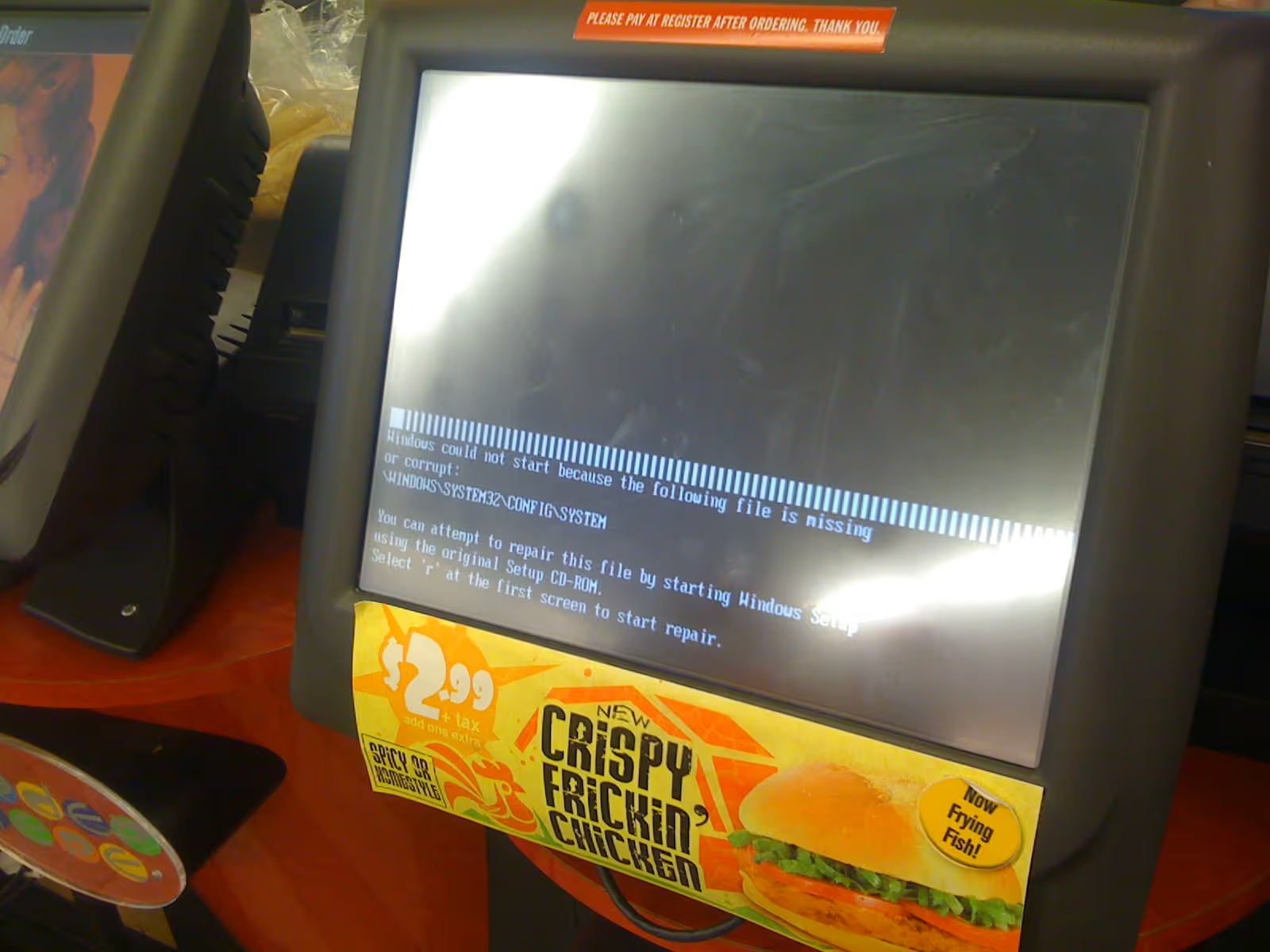
Years before self-service kiosks became commonplace, Sheetz deployed a touch-screen, kiosk-based ordering experience to help customers place custom sandwich orders digitally. By the mid-1990s, kiosks were a fixture in every store. Kiosks route custom food orders directly into back-of-house systems, which helps teams manage high volumes of customized orders without adding the friction of order-taking labor.
Customers get accuracy and speed, while teams get throughput and fewer miscommunications at the counter.
3. Scan-and-go
Customers buying packaged items can use scan-and-go to check out on their smartphones. Using an app feature called SheetzGO!, customers scan items on their phone, pay digitally, and show a confirmation screen before leaving. The system ties back to the point-of-sale system (see below on the POS), so scanned items and promotions match what staff see at the counter. This reduces lines during peak hours and creates a quick exit option for customers in a hurry.
4. Self-checkout
At self-checkout stations, customers use barcode readers to scan items, collect and apply rewards, and pay. Staff step in only when something requires human attention, like approving purchases for age-restricted products.
These stations handle routine transactions and let employees focus on foodservice, prep, or troubleshooting elsewhere in the store.
5. Point-of-sale (POS)
The POS anchors the entire connected system. Every transaction passes through here, regardless of how customers check out. Pricing files, promotion logic, loyalty rules, and payment authorization come together to settle the transaction.
The POS also serves as the system of record. It enforces consistency across channels by ensuring the same item prices, discount logic, and rules apply to every purchasing method. This is what allows Sheetz to offer multiple checkout paths as part of a single experience.
This is how Sheetz is able to scale personalization. When a customer identifies themselves at checkout, the POS evaluates which rewards or discounts apply to that transaction and executes them right then and there.
Get Powering the Pit Stop
Get the 2026 C-Store Tech Report instantly, and find out how customers rank convenience stores for hot food and tech.
Get Powering the Pit Stop
Get the 2026 C-Store Tech Report instantly, and find out how customers rank convenience stores for hot food and tech.
Why the Connections Matter
The value of Sheetz’s connected c-store system comes from how these pieces fit together. When every component operates in sync, customers feel in control of how they shop.
Meanwhile, this connectivity adds complexity and risk. A single failing endpoint can interrupt an entire visit, and once the customers start facing problems, the c-store staff are the first to feel the fallout.
Working at a Connected C-Store
When everything works as intended, a connected c-store gives customers a fast, consistent, convenient visit. For employees, the experience is more complicated. Every checkout option introduces another point where technology can falter, and store teams are the ones who absorb those issues.
The leverage brought by technology cuts both ways, saving labor so long as the tech works and compounding problems should the technology fail. Staff use technology to do more with less, but on-site staff lack the training to deal with problems should they arise. So when problems can and do arise, technical support may or may not be available
At Sheetz, where the number of endpoints and integrations is particularly high, technology malfunctions cascade into stress and heavy workloads until problems are resolved.
Where Things Break Down
So, what happens when connected c-store systems fail to deliver on their promises? More often than not, the issue falls on employees to manage or fix, leading to all sorts of problems.
1. When the app fails, employees feel helpless
Should rewards or offers fail to apply correctly, store teams may be unable to see what caused the issue. Employees must troubleshoot best they can, manually crediting items or directing customers to corporate support.
In one Reddit thread, a Sheetz customer complained that an app offer didn’t work: “Checked the app, rewards are there. I scanned everything, check out, and the coffees aren’t coming off as free. I checked the app… all rewards are gone.”

When another commenter suggested asking staff for help, an employee responded: “We don’t know anything about the app. I just scan it and wait to see what my POS decides to do.”
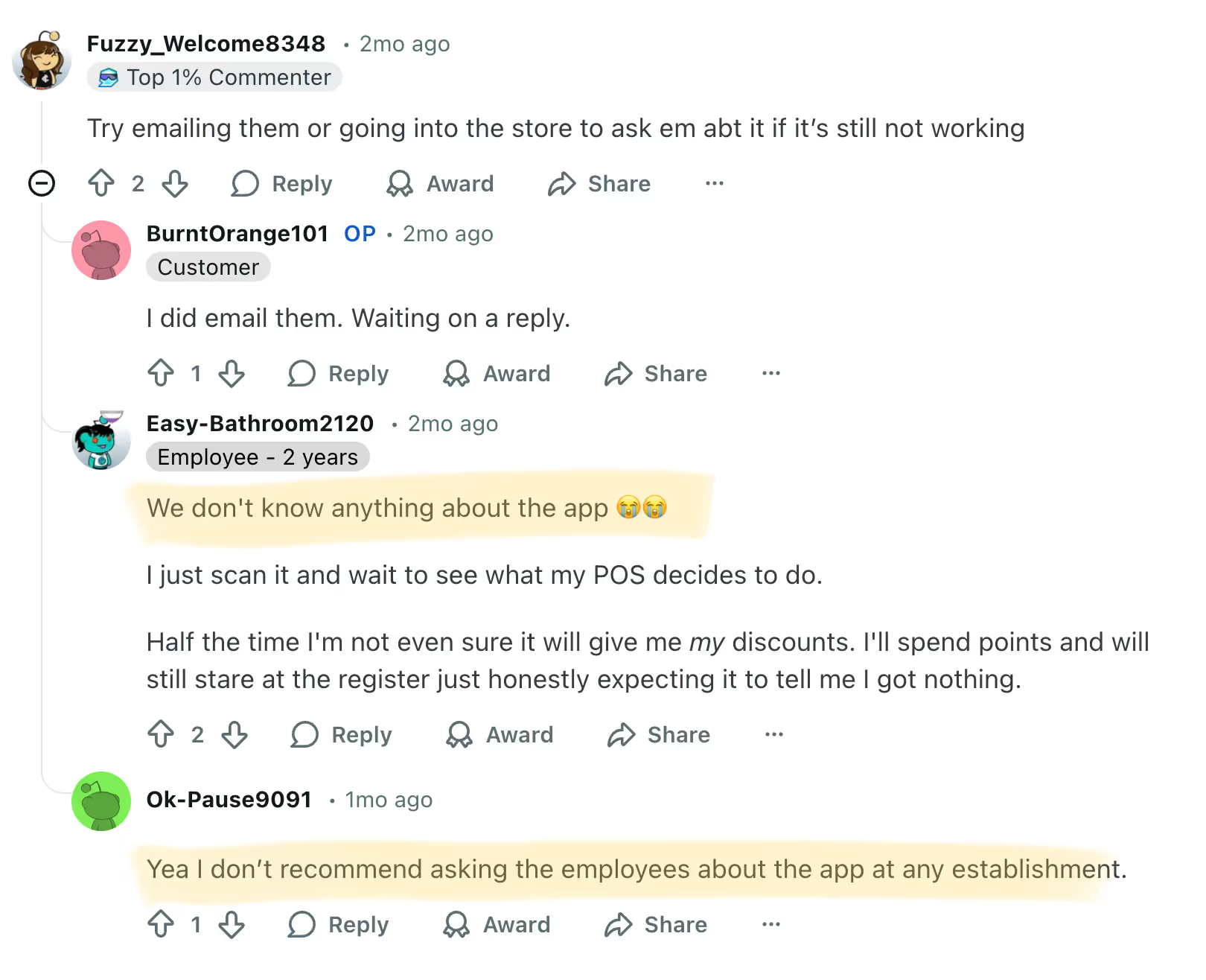
This kind of problem reveals a gap. Employees bear the responsibility for problems while lacking the visibility or know-how to solve those problems.
2. Scan-and-go adds pressure to watch for shoplifters
Scan-and-go works well for honest customers. For the less scrupulous, scan-and-go can result in blind spots that staff must attempt to manage. Employees must monitor aisles more aggressively to deter theft. They must engage in uncomfortable confrontations and settle disputes about what was or wasn’t scanned.
“You can easily act like you’re scanning items on your phone and then not even pay for it,” one employee at a “little town” wrote on Reddit. “I’ve seen my store loose [sic] over 16,000 in product because of stealing.”
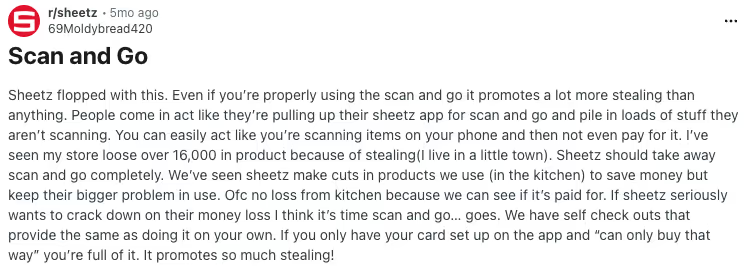
For stretched teams, new self-service paths can introduce new vulnerabilities.
3. When staffing is tight, problems multiply
Understaffing makes system failures more disruptive. With fewer workers on a shift, every service outage becomes a bottleneck and a stress multiplier. Employees juggle kitchen prep, self-checkout interventions, and manual workarounds for app glitches, often without sufficient bandwidth to absorb the added workload.
Lean staffing complaints are common online. Some employees point out how automated transactions tie directly to reduced labor hours. On the other hand, as one worker explains (screenshot below), ringing up customers at the register can actually grow teams: “Register transactions effect [sic] how many labor hours a store gets. The more register transactions the more hours,” the employee wrote. “The best way to help get more hours on your time block is to get more register transactions.”
.avif)
When automation reduces labor hours, it also reduces the buffer stores rely on when systems fail. Even minor disruptions hit harder.
The Tradeoff Operators Should Notice
Sheetz’s connected c-stores rely on networks of closely integrated devices and systems. While this setup increases throughput and offers customers more control, small errors can add significant strain to teams managing high-volume environments.
Staff can’t be the only safety net. In a model like Sheetz’s, where personalization is core to the customer experience, the systems themselves need to be more reliable. Operators need clear visibility into device and integration performance, from kiosk uptime to scanner accuracy to loyalty/POS syncing. Without that insight, problems surface only when customers notice. That’s a liability for a brand built on loyalty.
Reliability is its own form of service. Strengthening the digital foundation of the store eases pressure on employees and protects the personalized experience customers expect.
Learn more about what it takes to manage retail technology.



.avif)