




What if your remote device fleet ran itself?

POS systems, cameras, kiosks, and more are deployed to lower operational costs. But when they break, they require time-consuming and error-prone tech support. Instead of growing your service org, deploy AI agents that diagnose and solve issues on their own.

canopy-agent · autonomous session live
Cameracam-0431
Monitoring
Kioskkiosk-0608
Monitoring
Smart lockerlocker-0192
Monitoring
POS systempos-2207
Monitoring
What Canopy does

The nervous system for the edge

Find out how Canopy can lower the cost of service for your organization.

Let's Talk
A lower cost way to service remote devices

Device downtime: a complicated problem

Murphy's Law may as well be written for remote technologies: Whatever can go wrong — with touch screens, card readers, networks, power sources, OS, software, and more — will go wrong. An analysis of 200K support tickets revealed 65% of remote device problems are from configuration, network, software, power, and OS issues. A closer look shows that each of these categories includes many more difficult-to-solve issues. Though these technical problems can be resolved, it requires expert know-how, time, and advanced tooling.

Why configuration issues happen

  • Settings become out-of-sync with golden config
  • Manual overrides applied onsite go unreconciled
  • Multi-tenant deployments see version drift across sites
  • Config rollback failures after failed firmware pushes

How Canopy resolves it

  • Detect – Automatically compare current device state to golden config
  • Diagnose – Rank differences by severity, flagging misconfigured fields
  • Patch – Canopy pushes corrected config remotely (no tech dispatch required)
  • Verify – Post-patch state confirmed against baseline and auto-close ticket
80–90%
of misconfiguration issues resolved without dispatching a technician using Canopy.

Why network issues happen

  • Intermittent LAN drops causing check-in failures
  • DHCP lease expiry with no auto-renew
  • Wi-Fi band steering placing device on congested channel
  • Proxy or firewall rule changes blocking agent traffic

How Canopy resolves it

  • Detect – Heartbeat gap triggers network reachability check from Canopy [[Leaf agent]]
  • Diagnose – Diagnostics run locally, e.g. checking adapter state, IP config, DNS, gateway
  • Patch – Canopy resets adapter, forces DHCP renewal, or re-establishes tunnel
  • Verify – Connectivity confirmed; if unresolved, smart PDU power cycle queued
50–60%
of network issues issues resolved without dispatching a technician using Canopy.

Why software issues happen

  • Applications crash or freeze with no watchdog recovery
  • Memory leaks accumulate over multi-day uptime cycles
  • Deadlocked service threads block transaction processing
  • Corrupted local cache or database files post-update

How Canopy resolves it

  • Detect – Service health monitor flags missing heartbeat or elevated error rate
  • Diagnose – Process state, memory usage, and log tail analyzed for root cause pattern
  • Patch – Canopy restarts target service, replays any queued transactions on recovery
  • Verify – Heap and error rate monitored for 5 minutes; escalate if pattern repeats
70–80%
of software issues resolved without dispatching a technician using Canopy.

Why power issues happen

  • Unexpected power loss leaving device in unclean state
  • UPS battery failure causing hard shutdown mid-transaction
  • Smart PDU outlet fault preventing restart
  • Brownout causing partial device failure with no reboot

How Canopy resolves it

  • Detect – Telemetry detects power draw flatline (or sudden disconnect)
  • Diagnose – Redundancy kit and smart PDU availability checked before escalation
  • Patch – Canopy triggers smart PDU power cycle if outlet is controllable
  • Escalate – If PDU cycle fails or hardware goes unresponsive, tech dispatched automatically
20–30%
of power issues resolved without dispatching a technician using Canopy.

Why OS issues happen

  • OS update loop or failed patch leaves device in degraded state
  • Disk space exhaustion blocks OS writes and log rotation
  • System clock drift causes cert validation failures
  • Boot partition corruption requires recovery mode

How Canopy resolves it

  • Detect – OS health score drops below threshold, signaling degraded state
  • Diagnose – Disk usage, clock skew, update status, and boot partition checked
  • Patch – Canopy purges temp files, corrects clock, and applies firmware patch remotely
  • Verify – Clean boot confirmed; if partition corrupt, recovery image staged for dispatch
50–60%
of OS issues resolved without dispatching a technician using Canopy.

The remaining 35% of causes

Hardware-specific and environment-specific failures round out the picture. Bill readers, touch screens, printers, cameras, and sensors each have distinct failure modes — all monitored, diagnosed and actioned through the same Canopy remote device management framework.  

Learn more in Overcoming Downtime

  • Bill readers & payment peripherals
    Card reader failures, PIN pad errors, NFC connectivity drops
  • Touch screens & displays
    Calibration drift, dead zones, backlight failures
  • Receipt printers
    Jams, low paper detection failures, driver crashes
  • Cameras & security devices
    Feed loss, motion detection gaps, firmware regressions
  • Sensors & environmental monitors
    Drift in reported values, missed threshold alerts

Traditional service organizations are an outdated way to manage remote devices

Today, a network operating center, staffed with on-call technicians, manages fleet issues one device at a time as they come in from support centers.

Instead of triaging tickets and addressing incidents as they come, AI agents support ongoing monitoring and management. This reduces overhead costs and increases uptime, all while your team retains full control, including traceability and rollback

Incremental costs add up
from slower response times, on-site service calls, overhead
Lower service costs
from using Canopy AI agents to support remote device management
473devices offline or degraded right now
315manual actions run by staff today
0automations + agentic actions today
AI-powered remote device management

"How is the fleet doing today?"

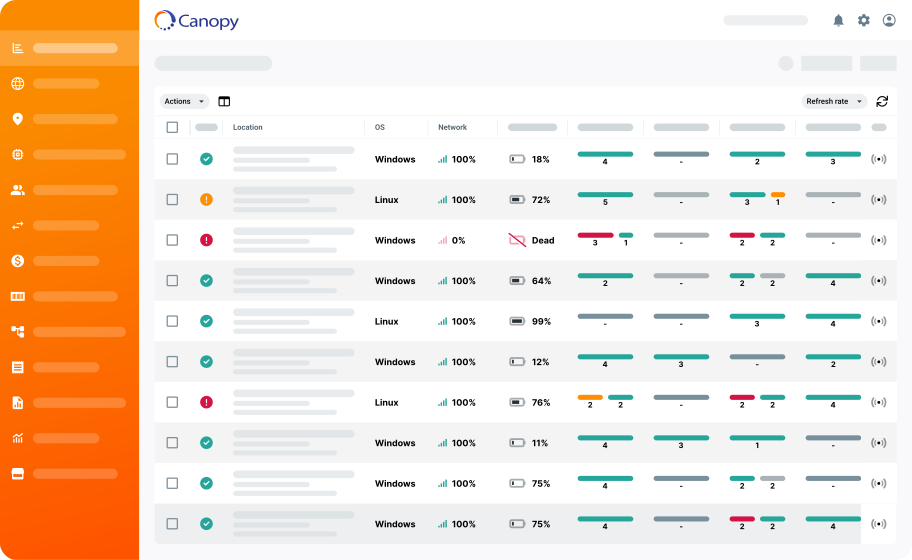
Remote device management with Canopy is different. For one, service teams can connect to the Canopy MCP server and simply ask how the fleet is doing, generating up-to-the-minute reports on-the-fly. They can put AI to work on their remote device data to identify issues and prioritize opportunities.

MCP connected
live

Ask your fleet…
What customers say about Canopy
Canopy’s agentic AI is doing something we haven’t seen from other analytics or monitoring tools. During the MCP beta, we’ve been able to move from raw operational data to actionable insight much faster, helping us identify trends, investigate issues, and communicate value more clearly.
Natalie Castillo
Canopy Technical Platform Lead at Full Swing
We have thousands of devices deployed across very complex and different environments. We have Apple and Android devices, Linux controllers, payment terminals, printers, etc. We needed a single platform with central visibility and management of all the components inside our solution.
Clay Hardin
Product Manager at Revel Systems
Canopy has helped us really have a better understanding of the health of that kiosk and all the devices within it.
Robert Chiti
CEO at OpenTech Alliance
Accessing Canopy through the MCP interface is helping us rethink how we scale support. Our team can manage our fleet in less time and at lower costs, all while delivering better service.
Russ Middleton
Chief Operating Officer at RoveIQ
Who is it for

Whatever your business runs on,
Canopy keeps it running

From POS systems to security cameras to whatever sits at your edge, your team gets one view of every device across every location — and the tools to fix problems remotely, before anyone notices.

Connected Restaurants

Make sure every order’s in with Canopy. Remote monitor and manage ([[RMM]]) your POS systems, [[kiosks]], [[kitchen display systems]], and drive-thru hardware. Every kind of [[QSR]] and restaurant technology can be managed from a single platform so that device downtime is minimized.

Connected Retailers

Help them shop without the signal drop. Canopy keeps retail tech running: Self-checkout kiosks, [[POS systems]], [[digital signage]], network gear, and any other retail solutions. Your tech support team gets a central view of multi-location retail device health, with the tools take remote action as needed.

Security System Operators

[[Uptime]] needs security too. For access control panels, intercoms, cameras, and the network infrastructure supporting it all across every property, Canopy provides blanket visibility and control, so nothing is ever out of sight . When a panel goes offline or a device falls out of compliance, your team sees it before a tenant does.

Your Connected Business

Whatever [[connected products]] your business runs on, remote monitor and manage your fleet with full visibility into the health of every endpoint across every location. Should any device in your connected product fleet misbehave at any time, your team can use Canopy to resolve issues remotely.

Ask Canopy AI